

You should repurpose your content.
That advice is so common, and common sense, that too many practitioners (like me) gloss over it without explaining what we mean.
With my publishing background, I am guilty of this. Over the years, I’ve developed a built-in idea filter for everything I publish. It goes in two directions:
Can I bundle these small things together into a big thing?
Wrote a long thing, how can I break it down into smaller pieces?
You can develop that filter, but it takes time. Keep reading, and I hope we’ll jumpstart creating your filter as I share this example from earlier in my career.
I’m going to share how I created an ebook that did two things:
Was generally useful and informative for everyone in my existing audience while also a lead magnet (a lead magnet is the name for a piece of free content given in exchange for name, email address, etc.)
Directly brought in sales for the 2014 AIIM Conference.
I’ll also share a few other examples I’ve created.
What Is Repurposing
Before diving in, I figured a definition might could be helpful here.
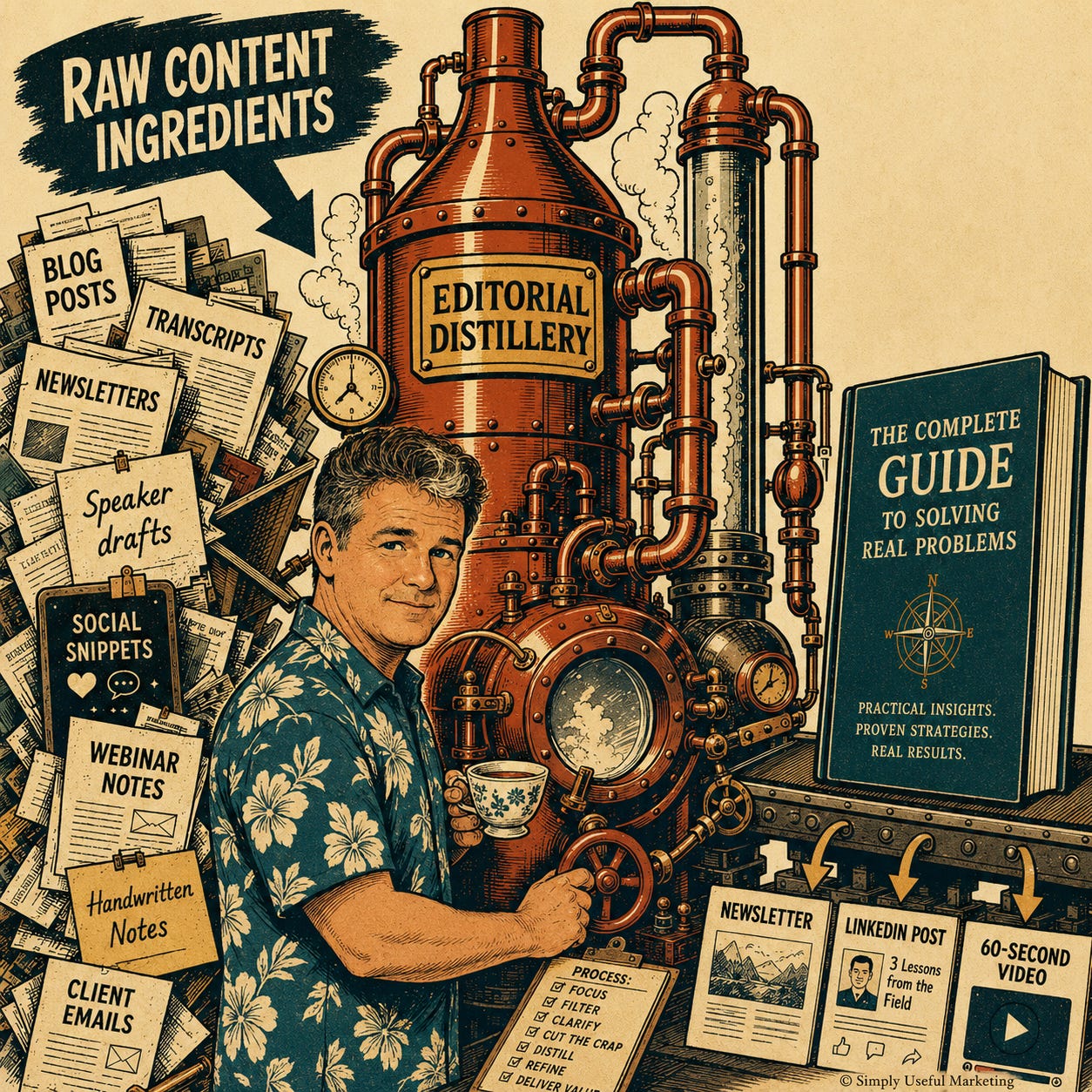
Repurposing is taking something you already wrote (or spoke) — a blog post, a newsletter, a podcast episode, a keynote presentation, webinar, etc. — and reshaping it for a different format, channel, or audience.
The point: you did the hard work once. Research, thinking, writing, getting the argument right. Repurposing is making that work pull a second, third, and fourth shift instead of letting it die in the archive after one publish.
What it looks like:
A blog post becomes a newsletter (by itself or combined with others), then a LinkedIn post, then a short video, then a slide in a deck.
A podcast transcript becomes three articles and a dozen quote graphics.
An evergreen post gets updated with new examples and republished a year later.
Multiple short posts (Substack, LinkedIn, Twitter, etc.) can be combined into blog post/newsletter; maybe even an ebook if you have that many.
What it isn’t: copying the same words into five different boxes and calling it a strategy. Each format has its own rhythm. A 1,200-word essay does not survive the trip to LinkedIn untouched. Adapt it or skip it.
Repurposing Content for Event Marketing – Blogs Into an Ebook
Events are a GOLDMINE of content marketing content, especially if your organization is putting on the event.
AIIM (where I spent the first 20 years of my work life) has an annual conference. In 2014, I suggested we use the event content to raise exposure and create leads.
I decided we’d publish blogs from speakers as well as the event sponsors as content marketing in two ways:
1. Each blog posted online
to the AIIM community site with a call to action for readers to register for the event
AIIM’s president had his own blog (a vanity project that would have been better for AIIM had it been ON the AIIM site, but that’s a post for another day). The vendor “Hot Seat” posts would go there.
We’d create an ebook from all of this blog content.
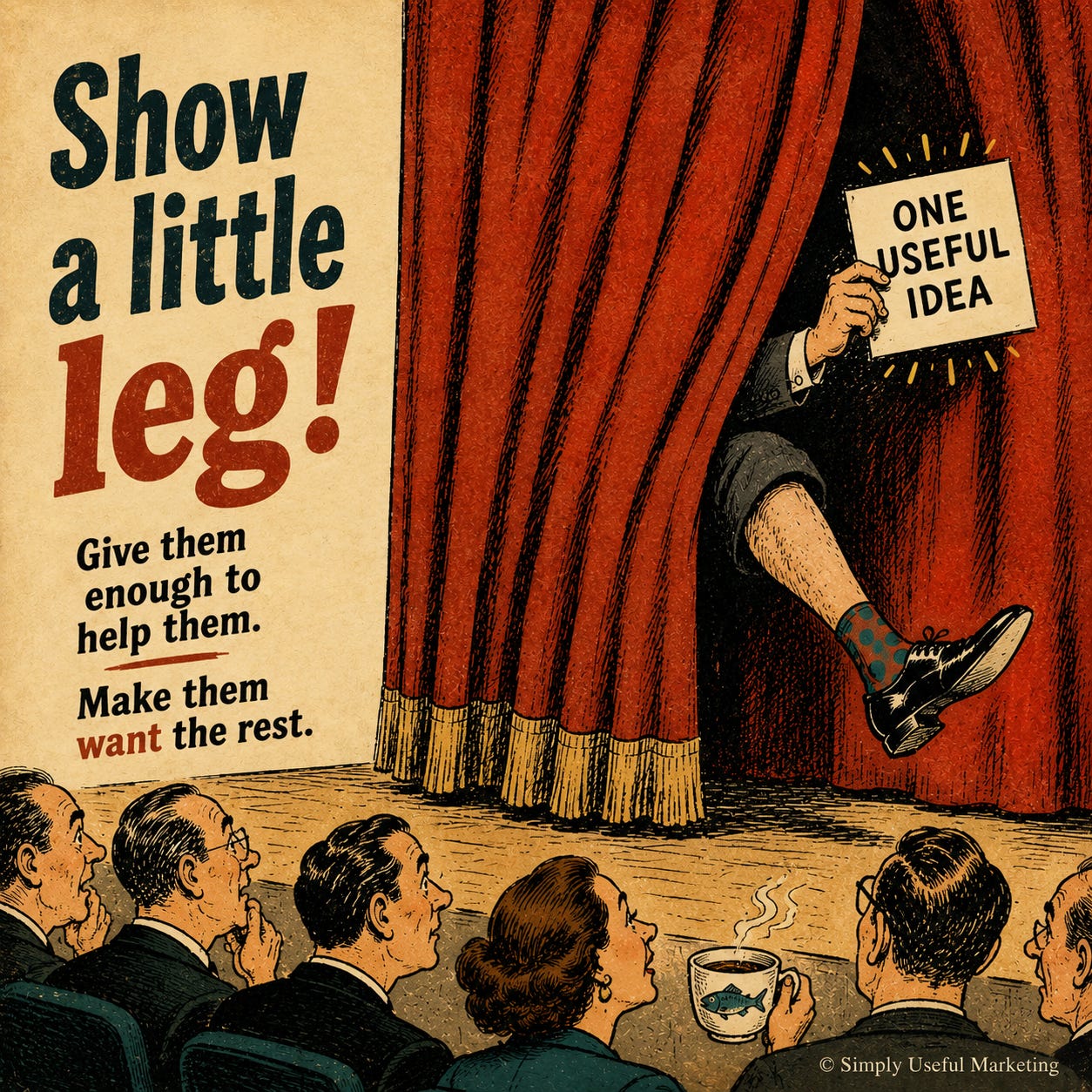
At the time, part of my job was to manage the member community, which included a roster of expert bloggers. Asking people to write was part of my daily work. I had previously had some success increasing our webinar registrations by having both the sponsor and the speaker write a short, 500 word or so blog post around their topic. My instructions were always simple: don’t tell them what you’re going to talk about, share an actually useful/insightful bit of information – the reverse of the cow/milk dating philosophy. “Show a little leg” is how I like to describe it.
So it was natural to go down the list of speakers (I knew at least half of them already, which made it even easier) to ask them to write a blog post about their session.
While there was a LOT of content, the process was simple. OK, you might look at the list, see the number of steps, and think “Is THIS what you call SIMPLE!??!?!” Yes. Why? Because these are no shortcuts. Just because the list is long doesn’t make it complicated.
Ask the speakers and sponsors to contribute – mostly email, a few phone calls.
Interviewed each of the keynote speakers via email. Based on their keynote topics, created a short list of questions and sent to the four keynote speakers to answer that way. I knew John, Alan, and Thornton already. I didn’t know Johnny Lee, I think I may have interviewed him over the phone or Skype/Zoom, but given I have to think about what I had for breakfast, just don’t remember.
Edit and post each piece of content to the AIIM Community blog as noted above, each with a CTA (tracked in HubSpot, the CRM, customer relationship management system) to register for the conference.
Shared each post on social media multiple times — Twitter and LinkedIn (and of course asked everyone to share on their personal channels).
Pulled session descriptions from the event materials to include with each post.
To save time, we started the design before I had every single piece of content in. We did this for a few reasons:
There was no guarantee everyone would contribute — our speakers already had jobs and were doing this voluntarily. Waiting for a few stragglers before doing the layout would have given us less time for this ebook to do work for us.
By having the pages designed already, it was easy to simply drop in the handful of speaker posts that came in late.
John handled all of the sponsor submissions to his blog.
Created a single document for the designer with all content in order from the cover to the final “About Us” page (along with a few placeholders for the blogs that were late).
This was a tedious, copy-paste exercise almost certainly done in an evening with a glass of whiskey at hand.
More tedious was copying and pasting the Hot Seat pieces.
Once everything was in one document, I went through and did a final spell check, made sure all of the headings matched (upper case, bold), that the sponsors were in alphabetical order by contributor name (there was a reason we did it that way, damned if I can remember it), formatting, deleted extra lines between paragraphs, and made sure instructions to the designer were clear – including sketching out the page layout (I knew what I wanted it to look like, just didn’t – still don’t – have the chops to pull it off myself).
d. This was, and is, the most tedious part of ebook layout, but taking time here will save you time once the designer goes to work.
e. If you’ve never done this before, recommend doing it on paper. You’ll notice things you could miss if you edit on your laptop.
Designer created the first draft.
I printed it out and edited only for typos, spacing, and other design/look and feel things. By this point, everything had already been edited for content and accuracy (though I did find a few typos anyway) so this went faster than if I had also been editing for meaning.
Designer updated the document with my edits and returned it.
This is why I edited on paper — I went through each of my edits to ensure they were made. Caught the few that the designer missed and had those corrected.
Gave it to. . . someone else for a final look over as by this point someone else needed to point out the handful of typos I had seen and already missed 3 or 4 times. Whenever possible, always have someone else do a review! You WILL miss things.
Sent back to the designer with the final edits and, after one more round of review to ensure those changes were made, we had a final document.
After that, it was the basic marketing block and tackling of loading the file into HubSpot, creating the landing page, sent the ebook to registered attendees to get them excited about the event (a simple “Thank you for registering, here’s something extra for you” message via email with a link to download), and then blasting it about our social accounts and newsletter. This paragraph could be a future post.
Design
I cannot recall if we used our internal designer for this or outsourced it, but the ebook was created by a designer. With this many moving parts, even today, with easy-to-use tools, I would do the same.
As a marketing piece for the Conference, it needed to be thematically identical. So we didn’t overthink it:
Reused speaker headshots and session descriptions from the Conference page
Used the color scheme and art elements within the ebook for color, chapter divisions, and CTA design
We decided to leave white space because we were pressed for time and adding images would have sucked up more time than we had. Plus, the extra step and time wouldn’t have made the final product that much better.
Decided on one CTA to use for the entire thing — which we also used online.
The chapters matched the Conference tracks, so anyone interested in a particular topic could get an idea for where to spend their time at the event.
The only part of the design I regret is the social share icons. Mostly because I was the one who had to hyperlink every single one of those — draw the outline over the box, insert the link, save, next. Tedious. Two hours of my life I’d still like back.
If you’re reading this thinking “cool story, but I haven’t written 40 of anything” — fair. Repurposing only works if you’ve got something to repurpose. That’s the thing nobody tells you. Newsletter-in-a-Box is how you get to the part where you actually have an archive to mine — the writing rhythm, the system, the spine. Then everything in this post becomes available to you.
RESULTS
While I don’t have access to the actual statistics any longer, this piece of content was a success in a few ways:
Downloaded a few thousand times.
a. for existing contacts, progressive fields in HubSpot allowed us to collect more information about potential leads
b. Brought in at least hundreds of new leads
Kept the event in front of our audience for months afterwards. After the event, we replaced the “preview” language, tweaked the landing page, and keep it online as a lead magnet through the summer and into the fall.
At least six sales. Attribution wasn’t set up properly in HubSpot, but we managed to identify at least six conference pass sales from the ebook. That’s about $9,000 in direct ROI.
Our audience liked it.
Other Examples
I’ve been repurposing content for decades, going back to the most basic of basic “repurposing” of putting print magazine articles onto a website.
Here are a few other examples.
Sexy Copiers
This was for a copier client (duh, I know). They were beginning to sell document management as a Laserfiche reseller (if you’re an SMB or larger in need of DM, give Laserfiche a look; solid company). The concept was new to most of their customers. We created a mini-campaign:
Series of blog posts.
Turn those into an ebook to use as a lead magnet.
Created a CTA for the ebook and then inserted those into the existing blog posts.
After I wrote the posts, we created the cover, I wrote a short introduction, and we added the call to action page at the end. While I can’t confirm it led to sales (their internal attribution process was a mess), I do know it created leads, client meetings, and sales opportunities.

InfoChaos Infographic
This one was a distillation of an AIIM thought leadership whitepaper. The goal with this one was two-fold:
Provide value by itself
Generate interest and downloads in the whitepaper
Unlike the copier ebook above, this took more time – about 30 hours distilling the whitepaper to it’s most important points, deciding on layout designs and then working with the designer on the best one, and then the usual process of back and forth editing,
Because we produced the infographic and the whitepaper at the same time, we also repurposed art from the infographic in the whitepaper.
FWIW, I think both this infographic and the whitepaper nailed the central challenge of business today – how to control and use the information in their business. Too many are still failing at it (which is also why AI implementations are going to fail in large numbers – AI relies on accurate content; companies don’t know which part of their content is accurate. Anyway, I digress.).

Video Scripts – Simply Useful Marketing Minute
My goal is to convert every one of my blog posts into at least one short video. I’m in the midst of revamping this, but embedded an older one below. It’s a wee bit ugly.
It’s a straightforward repurpose:
1. I’ll draft a short script or have Claude generate one and then tweak.
2. Record it on my phone.
3. Edit and publish to YouTube.
4. Embed the video directly into LinkedIn (LinkedIn video content often does well at attracting an audience).
5. Embed the video in the relevant post.
I find it faster to do these in batches of 4 to 8. This allows you to get into a good groove editing and putting the videos together.
LinkedIn Carousels
These streamlined, ebook-ish assets are doing really well on LinkedIn for engagement. For one client, I’m getting 70% plus click throughs on their carousels.
I think of these as Cliff’s Notes ebooks. Provide some quick, actionable knowledge or insights in 6 to 12 pages. I use Canva for this at the moment because it’s free, relatively easy, and “good enough.” I will be investigating Karen Spinner’s Carouselbot (you can read about it versus Claude here) soon though.
If you have a long blog/newsletter, you can create a carousel from a single piece of content. You can also point your genAI weapon of choice at multiple blogs, ebooks, notes, etc. and ask for common themes.
I’m still getting to grips with what creating these, but:
Short.
Simple.
Streamlined.
Minimal design/easy to read.
Regardless of topic, keep those four points in mind and you’ll succeed without driving yourself (too) crazy. Here’s a simple one I did from my Marketing Advent Calendar last year. I’ll also probably tweak this in the next few weeks to be something like “The 25 Marketing Fundamentals I Think Are Needed for Successful Marketing.” Oofah, that’s long, but you get the idea.

Quick Note on Generative AI and Repurposing
I’ll revisit using genAI to repurpose content in the future, so just a few quick thoughts here.
First, let’s get this out of the way:
No, genAI shouldn’t do your writing for you.
But genAI is PERFECT for extracting short pieces, recombining existing content, finding similar themes across dozens to hundreds of articles, newsletters, social media posts; and using that to extend the life and value of what you have written.
Closing Thoughts
None of this is clever. It’s mostly copy, paste, and trusting that work you did three years ago still has more to give. The clever part is just not throwing it away and knowing what, when, and how to combine and recombine.
PS — You can’t repurpose until you have some content. One way to begin stacking up words that can be reused in the future (as well as building trust with your customers and potential customers) is a regular newsletter. My Newsletter-in-a-Box service does both. Hit the link here for more details or contact me now at bryant@simplyusefulmarketing.co.
I need to work on my repurposing systems. One place I plan to start soon is LinkedIn. Got a bit out of the groove of publishing regularly here so as I get back into it I'm going to add in LinkedIn. Enjoyed reading about your experiences repurposing, especially the pre-AI blog to ebook adventure.